Animated text can transform ordinary content into something visually engaging. Whether you're creating YouTube videos, marketing ads, explainer videos, or social media content, animated typography can help capture attention, highlight important messages, and make your content look more professional.
In this article, we'll explore 10 popular text animations you can use in your next project and show you how to easily create animated text online using FlexClip.
Contents:



Also Read: Top 8 Best Fonts for Video – Choose the Best Fonts for Your Video>
Part 1 Popular Text Animations to Try in Your Next Project
FlexClip provides you with a handpicked collection of text animations, and you can create you own animated text in your video quickly and easily with them. Here we pick some of my favorites to share with your guys, let's check them out one by one.
Typewriter Effect Animation
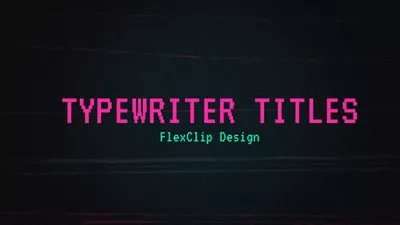
The typewriter animation simulates text being typed character by character, just like an old typewriter. Because it reveals the text gradually, it naturally builds curiosity and keeps viewers watching, working well for Intro titles, Storytelling videos, Quotes and captions, Educational videos, etc.
Popular Text Animations - Typewriter Effect Animation

Animated Text Fade in/out
The fade in/out effects are among the most classic and versatile text effects. With this animation, text slowly appears (fade in) or disappears (fade out), creating a smooth and professional transition. The simplicity of fade animations makes them perfect for almost any type of video project, such as Title cards, Presentation slides, Corporate videos, Documentary subtitles, and more.
Popular Text Animations - Fade Animation
Popup Text Animation
Popup text animation is a dynamic effect where text suddenly appears on the screen, often with a quick scaling motion. It grows from a smaller size to its full size, creating a popping effect that immediately grabs the viewer’s attention. This text animation commonly used for Highlighting important keywords, Call-to-action messages, Social media captions, Promotional banners, Price tags or discount announcements in your project.
Popular Text Animations - Popup Text Animation
Animated Text Bounce In/Bounce In
Bouncing texts are those texts that usually bounce when they appear, which can make the tedious text interesting in your graphics and videos and help quickly catching people's eyeballs. When the text enters the screen, it slightly bounces before settling into place, making it feel lively and dynamic. Great for Social media videos, Promotional content, Kids' content, and Gaming videos.
Popular Text Animations - Bounce Animation
Slide-in Text Animation
Sliding animation, a very dynamic and eye-catching one, allowing text to enter the screen smoothly from one direction. After sliding into place, the text stays still for viewers to read. This text animations are popular because they are simple, clean, and effective, widely used for Video titles, Section headings, Bullet points, Key highlights in presentations, etc.
Popular Text Animations - Sliding Animation
Roll Text Animation (Credit-Style Rolling Text)
Roll animation creates a continuous vertical movement of text, similar to the credit scenes at the end of movies. The text usually moves from bottom to top, allowing large blocks of information to appear gradually on the screen. Work prefect for Movie ending credits, Acknowledgment lists, Event schedules, Documentary credits, and more.
Popular Text Animations - Roll Animation
Scroll Text Animation (Ticker-Style Moving Text)
Scroll animation refers to text that moves horizontally across the screen, often continuously. This style is commonly seen in TV news broadcasts, such as News tickers, Stock market updates, Breaking news banners, Information bars in live streams, where headlines scroll across the bottom of the screen. Perfect for displaying short updates or ongoing information.
Popular Text Animations - Scroll Animation
Wavy Text Animation
Wavy text animation creates a wave-like motion across the letters, giving the typography a flowing and dynamic appearance. The wavy motion adds personality and makes the text feel more expressive. This animation style is often used in Music videos, Creative intros, Social media graphics, and Youth-oriented content.
Popular Text Animations - Wavy Text Animation
Rotation / Flip Animation
Quite prominent and distinct, this rotation text animation makes it a good fit for titles and other short text messages, making titles feel modern and visually impactful. It is commonly used for Logo reveals, Title sequences, Tech or gaming content, Product promotions, etc.
Popular Text Animations - Rotation / Flip Animation
Glow / Neon Light Effect Animation
Glow or neon light effect animation has a charming aesthetic that gives your typography a bright, glowing appearance and make it far more attractive, attributing to capturing viewers' attention.
Popular Text Animations - Glow / Neon Light Effect Animation
Part 2 How to Make Animated Text Online – Text Animation with FlexClip
Creating animated text used to require complex software like After Effects. The good news is that you don't need advanced design skills or expensive software to create impressive text animations now! Today, many online tools allow anyone to create professional text animations quickly.
Picking the right text animator to make text animations in your video can help you achieve a multiplier effect. There are a plenty of online text animators that come with built-in text animations to help you create and add animated text for your video in a breeze.
One of the easiest tools to use is FlexClip. It offers popular text animations, like the ones we shared above, you can use in your next project to create professional and eye-catching results.
2.1 Recommended Online Text Animator Tool: FlexClip
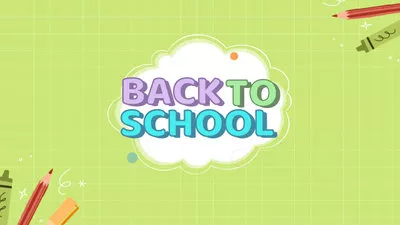
FlexClip is an online video editor that includes built-in text animation tools, which can help you customize your own animated text in minutes using its handpicked collection of text animations and stunning effects.

2.2 How to Make Animated Text with FlexClip: Detailed Steps
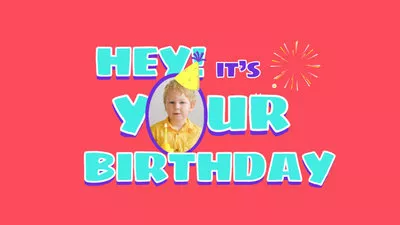
FlexClip offers different ways for you to make text animations in your video using its built-in text animations as we introduced above. There are basic text you can add animation manually, and more unique animated text for special uses, like wedding titles, birthday titles, lower thirds, speech bubbles, etc., you can adjust and customize them to create your own text animation.
Just turn to FlexClip to get unique text animations that will impress your friends and followers. Get started now!
Method 1 Animate Basic Text Manually
The first way you can make the text animation is animating the basic text in FlexClip text tool manually. It's pretty easy an fun to do so, just follow the simple steps below to make stunning text animation in your video.
Step 1 Upload Your Video and Add the Text
Upload your video to FlexClip and apply to the Timeline, then go to the Text section on the sidebar to add your messaging with the Basic Text.
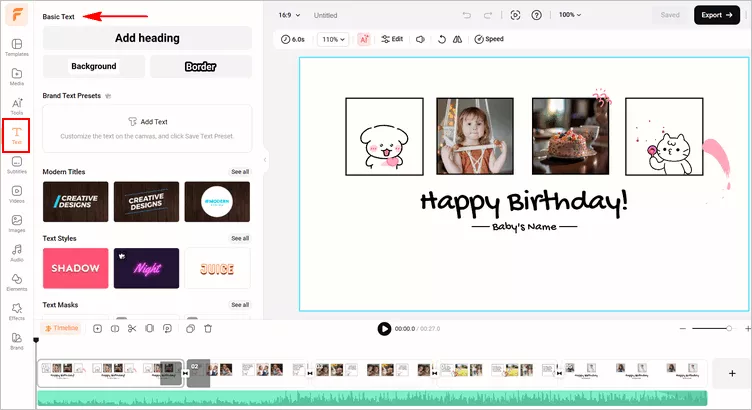
Image Board: Make Text Animation Online - Basic Text
Step 2 Enter Your Words and Customize the Text
Double click the text box to enter your words, and customize the text on font, styles, color, and placement as needed. You can also go to the Timeline to adjust the duration of the text to control the time when it appears and disappears.
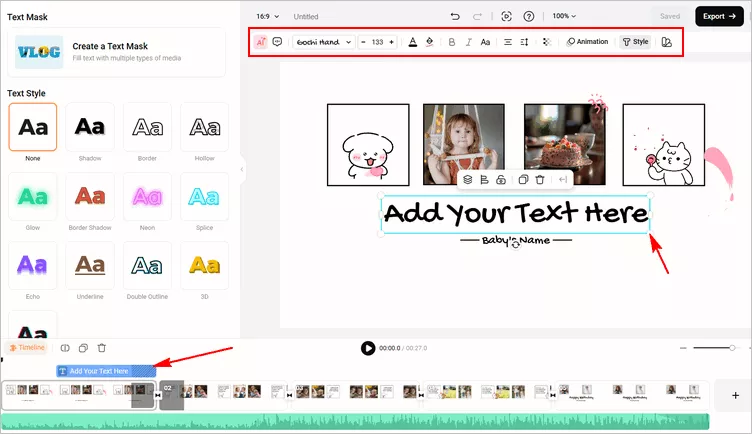
Image Board: Make Text Animation Online - Customize Basic Text
Step 3 Add Animation Effect to Animate the Text
Select the animation effect from the Animation tool on the top menu bar, and browse through animation options to find the one that perfectly fits your design.
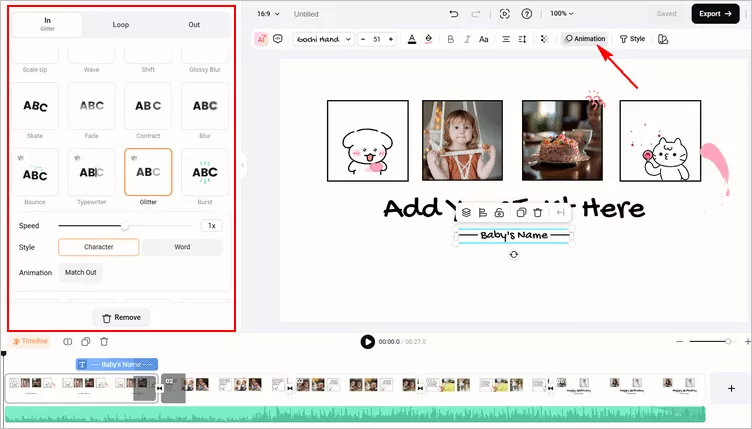
Image Board: Make Text Animation Online - Animated Basic Text
Method 2 Personalize Pre-made Special Animated Text
You must have noticed that there are more preset text effects to choose from under the Text bar. Those preset animated text effects are designed for some special use, such as lower third, quotes, news titles, and more. All of them are fully customizable, you can use them to make your own text animation with ease.
Step 1 Choose One Preset Animated Text Template
Browse through all the text effects in FlexClip's text option library to find the one that fits your video design.
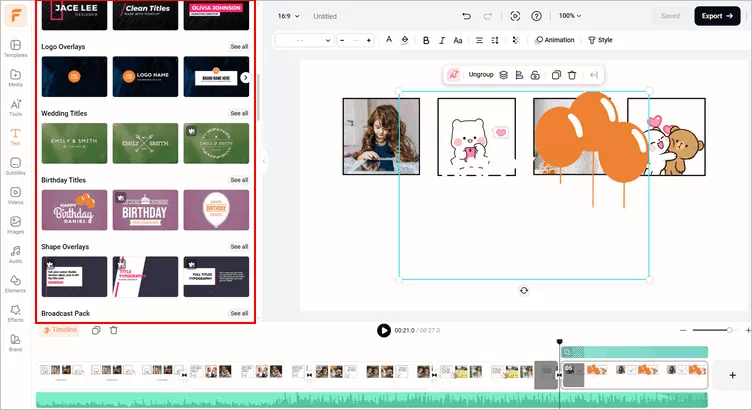
Image Board: Make Text Animation Online - Pre-made Text Animation
Step 2 Customize Your Text
Double click the text box to enter you own message, here you can also try to Ungroup the text animation sample to customize each element of this text group.
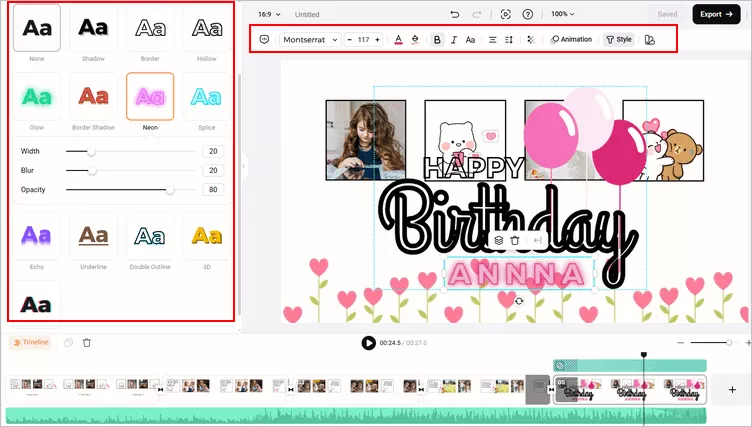
Image Board: Make Text Animation Online - Customize Text
Step 3 Adjust the Text Animation
Go to the Animation tool to adjust the animation of each element of the text group one by one.
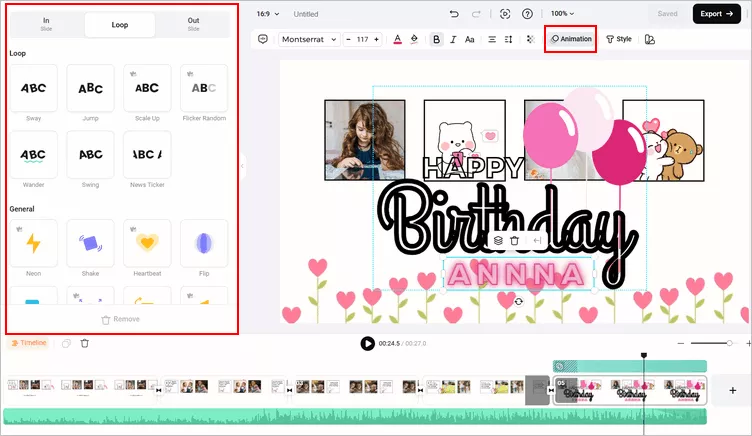
Image Board: Make Text Animation Online - Customize Pre-made Text Animation
Final Words
That's all for the best online video text animator with stunning text animations and how to make and add animate text in your video for free. It's pretty easy and fun to make text animations in your video. Go to FlexClip to find more and apply your ideal animated text effect to your video now.




FlexClip AI Video Maker
Reach professional-quality videos faster with easy editing tools, templates, and smart AI.
Start Now for Free
Hot & Trending
-

Best Ways to Find Music in YouTube Videos
-

Instagram Story Video Quality Bad After Upload? Fix It!
-

How to Repost Video on TikTok & How to Remove TikTok Repost
-

Improve Video Quality Online: 3 AI Video Quality Enhancers You Can't Miss
-

4K Convert to HD 1080p without Watermark: Best 4k Video Converters
-

Best 8 Free Video Editors - No Download Required
-

Top 13 Birthday Video Makers with Music and Effects Free
-

How to Search Filters on TikTok & Use a Filter You See - TikTok Filter Guide