From travel snapshots to food flatlays, Instagram has become our digital photo album. But there's a common frustration: Instagram's fixed aspect ratios can make posting photos tricky, especially when your images are taller than 4:5, wider than 1.91:1, or just don't fit the square mold.
Luckily, there are simple ways to keep your entire picture intact. From resizing and adding borders to using third-party editors to extend your photos with AI, this guide walks you through every method to post horizontal, vertical, or oversized photos on Instagram without cropping. So, let's dive into how to fit the whole picture on Instagram(even one that taller than 4:5 or wider than 1.91:1) and make your visuals truly shine!


Create Instagram Video Faster with FlexClip's Pre-Made Templates →
Start from Scratch Easily with FlexClip's Online Video Maker →
Can't Miss: 5 Video Resizers for Instagram - Resize Video for Stories, Feed, Reels & IGTV >
Part 1 Why Instagram Cuts Off Your Photo: Instagram Post Sizes
Although you can share images with different aspect ratios on Instagram, it crops images because it uses fixed aspect ratios for different types of posts. These size constraints ensure consistency across the platform, but they can also limit how your images appear.
Below is the Instagram aspect ratio limits:
When you upload a photo that exceeds these limits will be cropped automatically on Instagram. For example, a panoramic landscape photo may lose details on the sides, while a tall portrait image might get trimmed at the top or bottom. This can be frustrating when you want to present your photo exactly as intended.
Understanding these limitations is essential if you want to adapt horizontal photos into a vertical format or make your images fit Instagram without losing important details. So, how can you fit a full picture on Instagram for sharing your vertical and horizontal photos without cropping? Keep reading to discover the best solutions below.
Pro Tips:
How to Add Multiple Photos to One Instagram Story >
How to Add Song in Instagram Story With Photo: 4 Best Ways >
Part 2 How to Make Photos Fit on Instagram without Cropping
You're in luck! There are different ways to help you solve the problem of making photos fit on Instagram, including resizing them directly on Instagram and using third-party editors to indirectly help you accomplish photo adjustment and perfect them with stunning effects and even with AI.
Well, let's check the ways below to make your photos fit on Instagram and post your portrait and landscape pictures without cropping.
Method 1 Make Your Photos Fit on Instagram with the Built-in Resizing Tool
Instagram automatically crops posts to a 4:5 aspect ratio to save space in your feed. Fortunately, this app offers a direct way to make your photos fit on Instagram; once you've uploaded or taken a new photo, you can try the resize feature to make your photo fit Instagram post in the preview window. Check the way below to make your photos fit on Instagram with its built-in resizing feature.
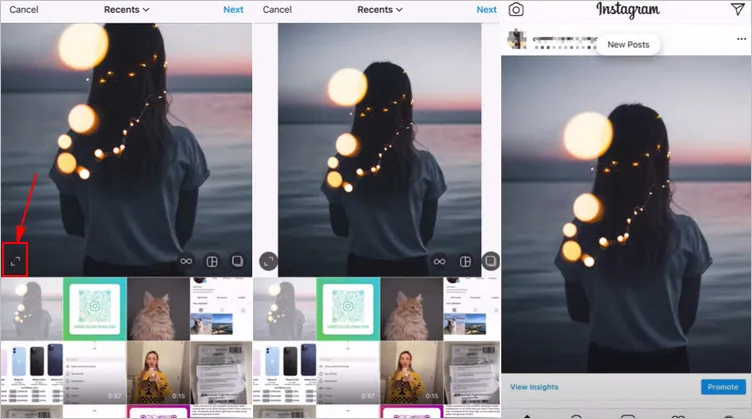
How to Make Your Photos Fit on Instagram with the Built-in Resizing Feature
However, the built-in crop feature is limited and may not completely cover the excess or awkwardly resize them because the zoom feature can only do so much. So, sometimes, the image won't look quite right. If you are unsatisfied with the results, you can use a third-party app to edit your image before posting it on Instagram.
Method 2 Make a Photo Fit on Instagram Without Cropping Using AI Expand
Instagram's built-in method usually suffices, but if you're not satisfied, FlexClip's AI Image Extender is recommended for you to make your photo fit on Instgram by expanding the image beyond boundaries to get a bigger background or adjust the aspect ratio while preserving the original parts.
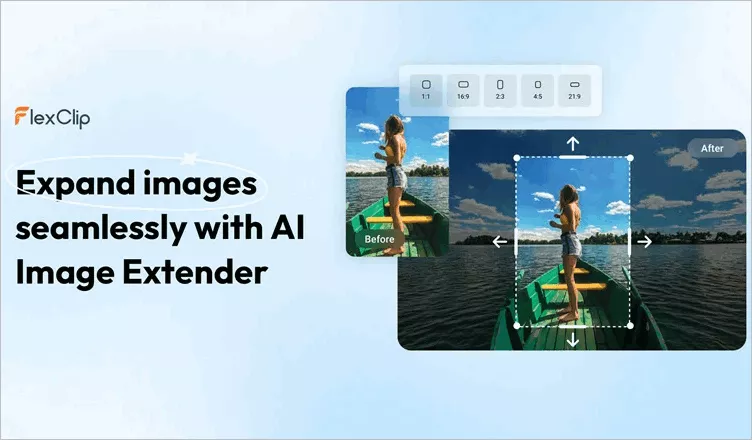
Make a Photo Fit on Instagram Without Cropping Using AI Expand
This approach is ideal for professional photographers, brands, or anyone who wants their images to stand out without cropping or adding unwanted elements around them on Instagram. Let's check the steps below:

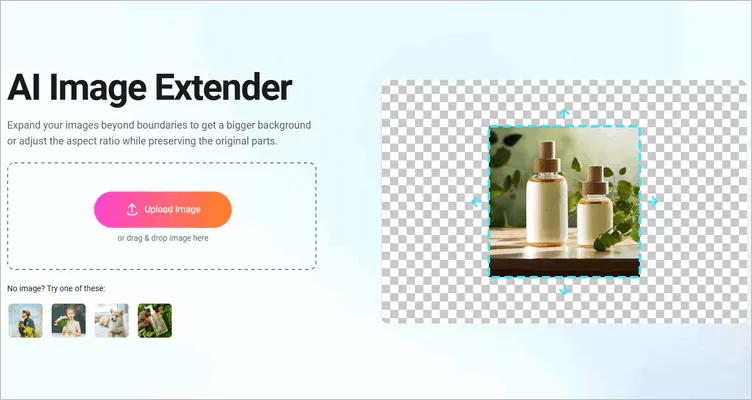
Make a Photo Fit on Instagram Without Cropping Using AI Expand - Upload
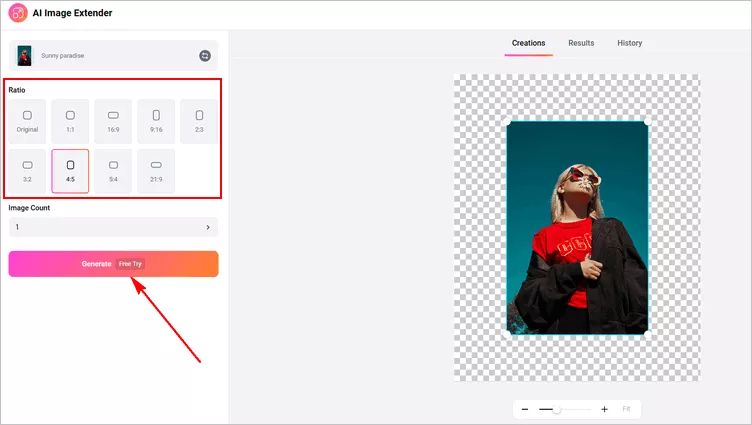
Make a Photo Fit on Instagram Without Cropping Using AI Expand - Select Ratio
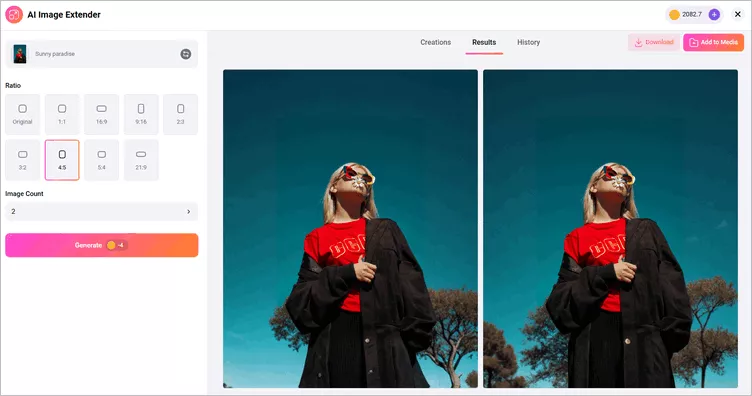
Make a Photo Fit on Instagram Without Cropping Using AI Expand - Download
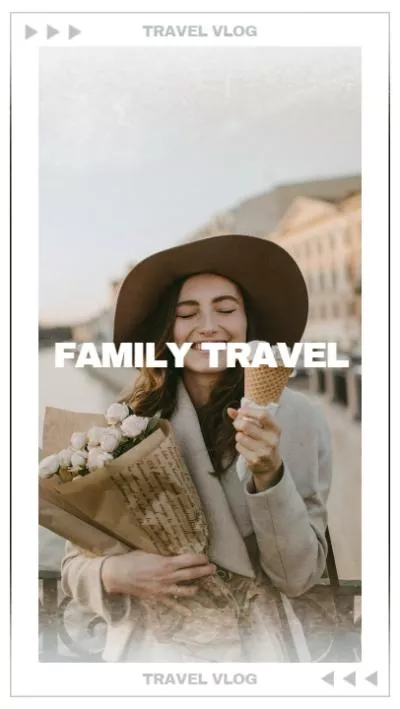
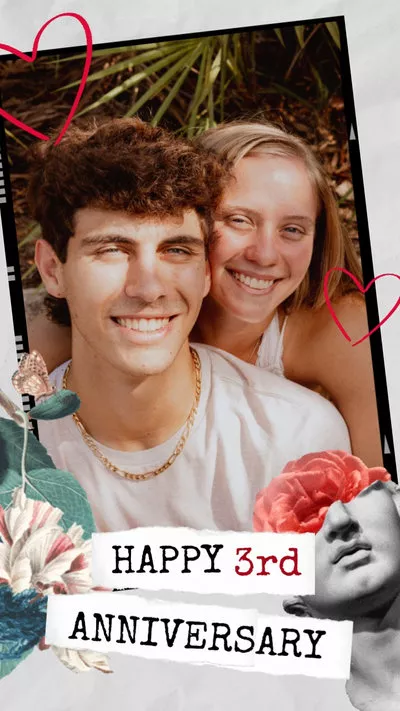
Pro Tip: FlexClip is a powerful online video creation and editing platform that allows you to quickly edit photos for fit on Instagram and perfect them with aesthetic text, stunning effects, catchy stickers, etc. By the way, there are tons of designer-made and fully-customizable Instagram templates with music and stunning effects, for your to choose from. All you need is to drag and drop to customize them into yours. The eye-catching transitions, trending text animations, dynamic elements and video effects, etc. will make your Instagram post second to none.
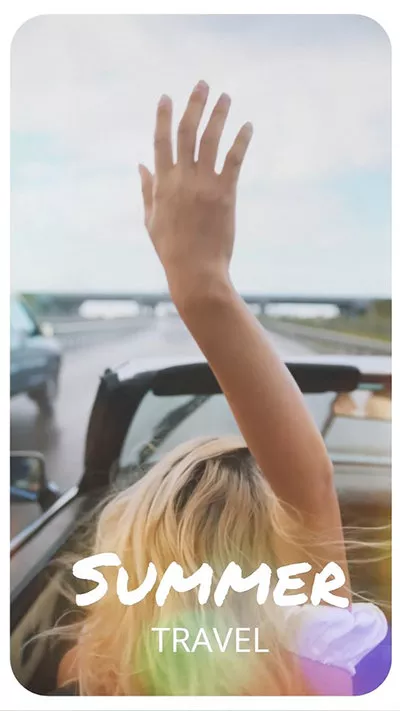
Method 3 Make a Photo Fit on Instagram Without Cropping by Adding Borders
Besides that, you can also try FlexClip to fit a full picture on Instagram by adding borders, padding, or even add a blurred background to fill the blank borders naturally. This method doesn't alter the original image, it simply adds space around it so it fits Instagram's aspect ratio.
Here's how to fit the whole picture on an Instagram post or story using FlexClip's powerful editing tool.

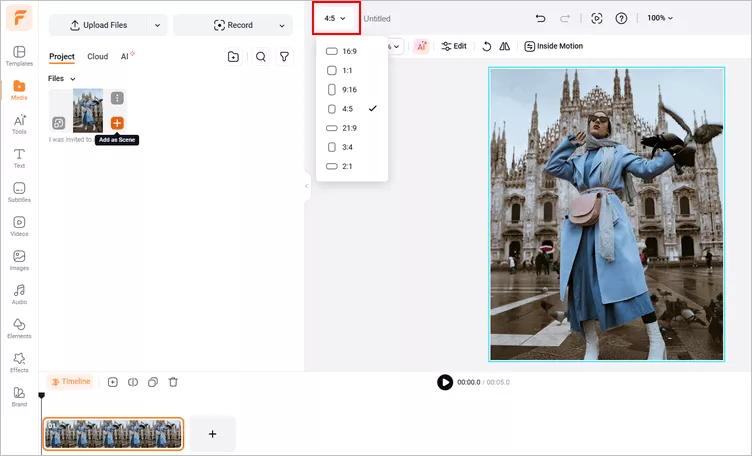
Make a Photo Fit on Instagram without Cropping Using FlexClip - Upload Image
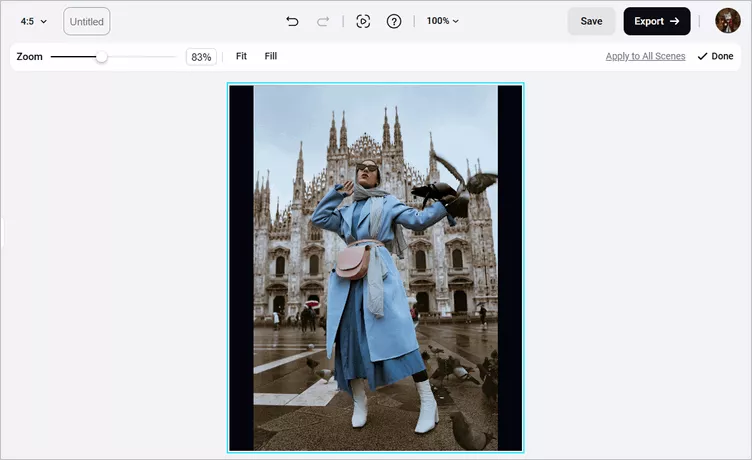
Make a Photo Fit on Instagram without Cropping Using FlexClip - Fit Image
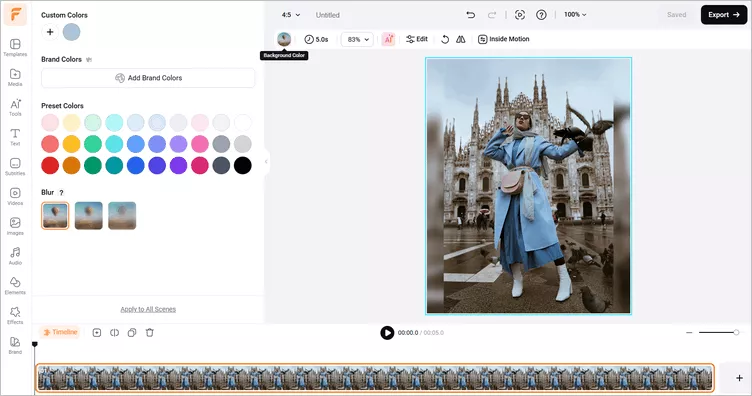
Make a Photo Fit on Instagram without Cropping Using FlexClip - Edit Image
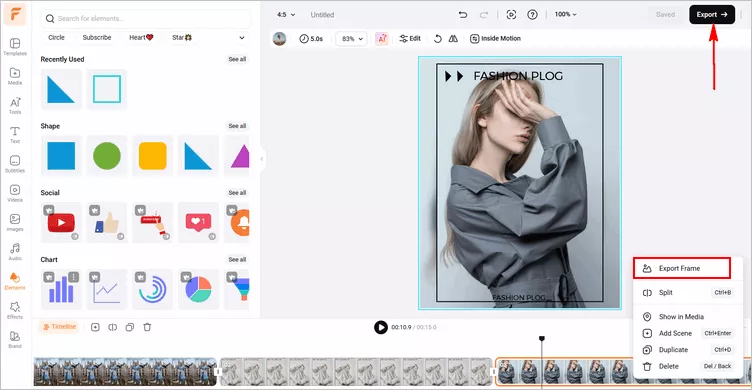
Make a Photo Fit on Instagram without Cropping Using FlexClip - Save Image
Final Words
That's all for how to make photos fit on Instagram. Hopefully, with the methods we shared in the article, you can quickly post any portrait or landscape photos on Instagram successfully, ensuring each snapshot maintains its full glory and leaves a lasting impression on your followers.




FlexClip AI Video Maker
Reach professional-quality videos faster with easy editing tools, templates, and smart AI.
Start Now for Free
Hot & Trending
-

Best Ways to Find Music in YouTube Videos
-

Instagram Story Video Quality Bad After Upload? Fix It!
-

How to Repost Video on TikTok & How to Remove TikTok Repost
-

Improve Video Quality Online: 3 AI Video Quality Enhancers You Can't Miss
-

4K Convert to HD 1080p without Watermark: Best 4k Video Converters
-

Best 8 Free Video Editors - No Download Required
-

Top 13 Birthday Video Makers with Music and Effects Free
-

How to Search Filters on TikTok & Use a Filter You See - TikTok Filter Guide