Want to upload your MP3 file - whether it’s music, podcast or a sound recording to YouTube for greater reach and more views?
You might run into an “invalid file format” error when uploading. That’s because YouTube doesn't support direct uploads of audio-only files like MP3 or WAV.
So how can you share your audio on YouTube? The solution is simple: convert your MP3 into a video by adding an image, footage, or other visuals, then upload it as a standard video file.
In this blog, we’ll introduce 5 of the best MP3-to-YouTube converters to help you turn audio into video effortlessly. Let’s dive in!
Also Interested in: 3 Best Ways to Convert MP4 to MP3 Audio for Free>>
FlexClip - Turn MP3 into YouTube-ready Video
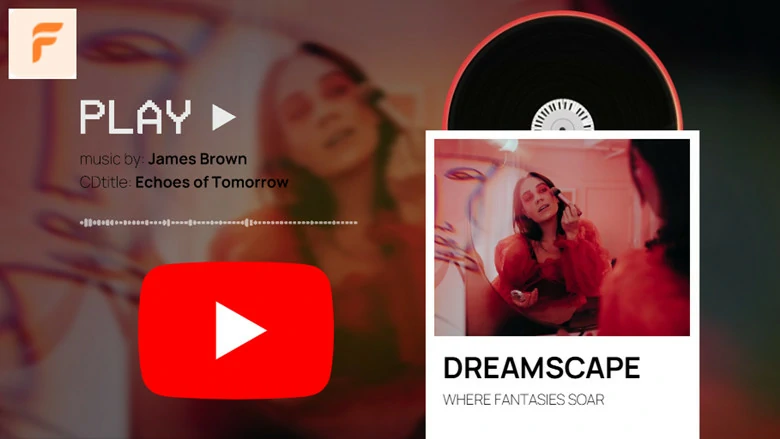
Need a flexible way to turn an MP3 file into a YouTube-ready video? FlexClip is a great option to consider. This feature-rich tool lets you edit images, videos, and audio, making it easy to add visuals to your soundtrack and directly upload it to YouTube.
It also offers an extensive stock media library, so you can enhance your project with aesthetic, royalty-free footage. Beyond that, FlexClip includes a variety of AI-powered tools to streamline your workflow—such as generating album covers from text, creating background videos from your ideas, removing background noise from recordings, and automatically generating subtitles or lyrics for better accessibility, etc. Overall, FlexClip strikes a strong balance between convenience and creativity when it comes to converting MP3 files into engaging YouTube videos.
MP3 to YouTube Converters Online - FlexClip
Audioship - Convert MP3 to YouTube Format
Whether you want to publish a song, podcast, sermon, radio recording, or remix on YouTube, Audioship is a solid option for converting MP3 files into YouTube-ready videos in minutes. Like most MP3-to-YouTube tools, it pairs your audio with an image to create a video—but it goes a step further.
Audioship supports bulk conversion, allowing you to process multiple files at once, and it also provides a built-in media library with aesthetic video and image backgrounds to enhance your content. This makes it a major time-saver for podcasters and YouTube creators who need to upload large volumes of audio while preserving original quality.
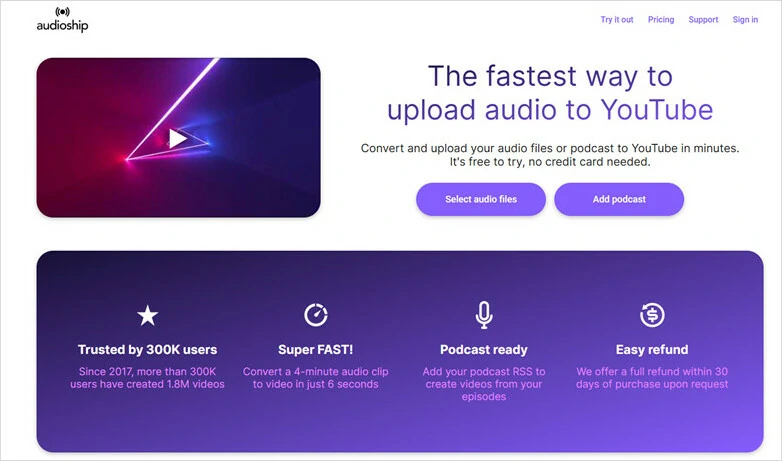
MP3 to YouTube Converters Online - Audioship
Media.io - Convert MP3 File to YouTube
Media.io offers a web-based solution for converting MP3 files into YouTube-ready videos. It transforms your audio by adding visual elements, allowing you to pair your MP3 with a GIF, background image, or video clip.
In addition, its timeline editor lets you split, trim, and fine-tune your audio to better match your needs. With these features, Media.io makes it easy to turn podcasts, music, and other audio tracks into engaging YouTube content.
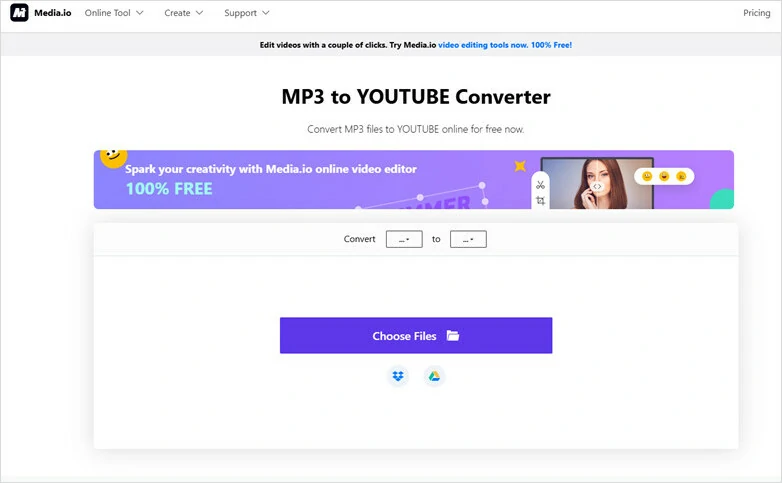
MP3 to YouTube Converters Online - Media.io
TunesToTube - Convert MP3 to YouTube Video
TunesToTube is an online MP3-to-YouTube converter designed with creators in mind. It lets you easily turn an MP3 into an HD video—just upload your audio, add an image, and publish it directly to your YouTube account. You can also set the title, description, and upload preferences in advance, so your video is ready to view and share immediately after publishing.
On the downside, free users may encounter intrusive ads during use, and a branded watermark will be added to the final video.
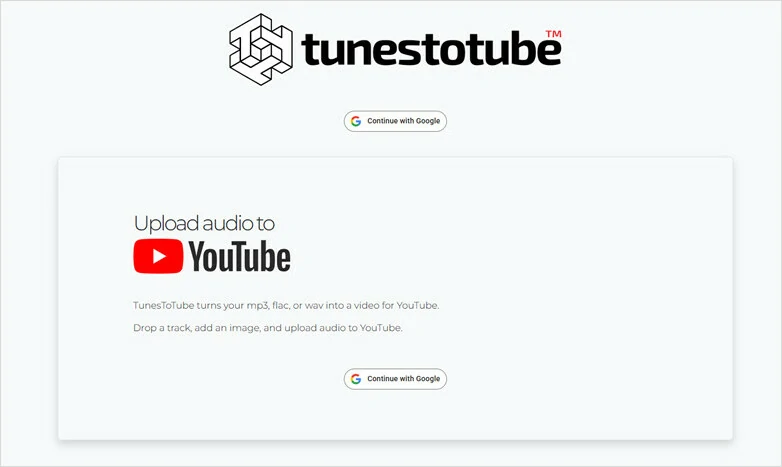
MP3 to YouTube Converters Online - TunesToTube
Tovid.io - Add Image to MP3 for YouTube Video
Looking for a simple, visually pleasing way to upload audio to YouTube—without installing a bulky video editor? Tovid.io might be just what you need. It lets you turn an MP3 into a video by combining it with a cover image, so you can upload your audio to YouTube in just a few easy steps.
One standout feature of Tovid.io is its support for MP3 files up to 100 minutes long, making it ideal for playlists, “study with me” sessions, or other long-form content. However, the presence of a watermark and the requirement for full access to your YouTube account may be drawbacks if you value a clean output and stronger privacy control.
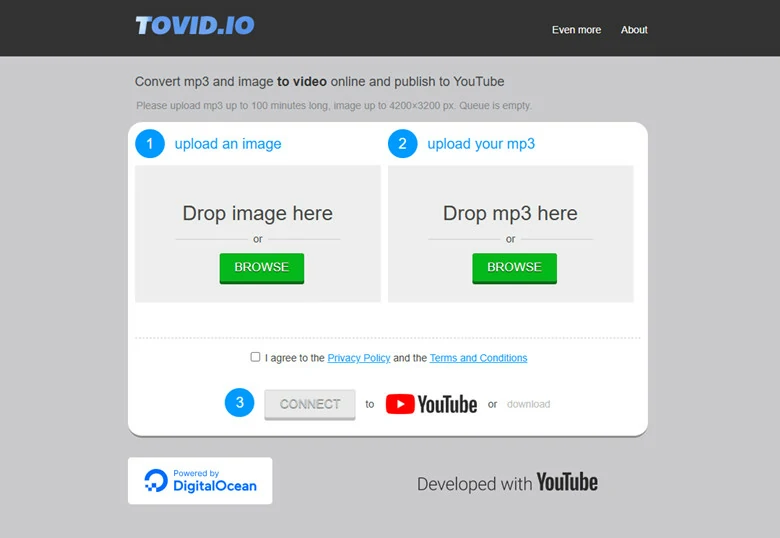
MP3 to YouTube Converters Online - Tovid.io
How to Convert MP3 to YouTube Video Using FlexClip
After the preview of 5 best MP3 to YouTube converters we’ve gathered to you, let’s see the details of converting MP3 to YouTube-ready content using FlexClip as an example.

Step 1: Import Your MP3 File to FlexClip
Firstly, go to FlexClip’s video editor page and drag and drop your MP3 file to upload. Or you can tap the drop-down menu beside to choose an audio file directly from third-party platforms like Google Drive, One Drive, etc.
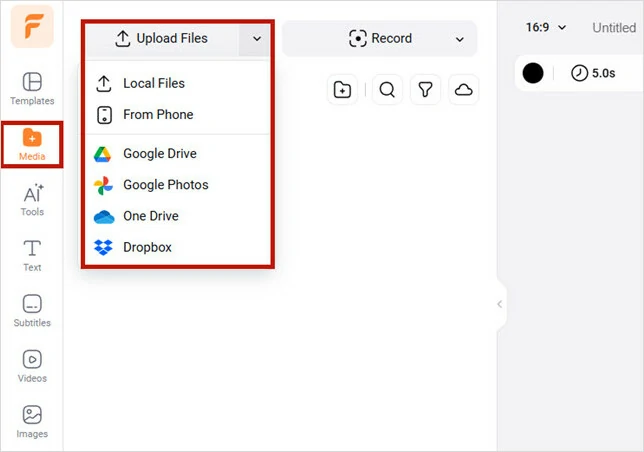
Import Your MP3 File to FlexClip
Once it’s loaded, add it to the timeline, where you can apply both basic and advanced edits to refine your MP3 track—such as adjusting volume, changing playback speed, reducing noise, removing vocals, trimming, looping, splitting, or adding fade effects. Once your audio sounds just right, you’re ready to move on to the next step.
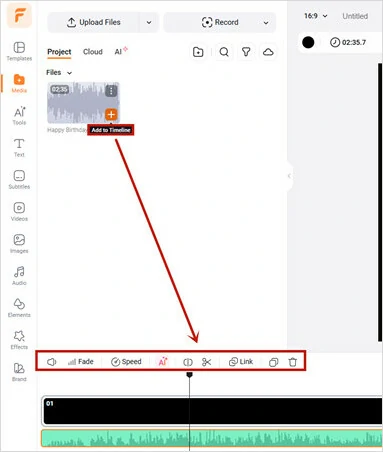
Make Edits to Your MP3 Track in FlexClip
Step 2: Add an Image or Video to Visualize Your Track
Now it’s time to add visuals to your track. You can upload your own images or videos, or choose from FlexClip’s built-in media library, which offers millions of high-quality, royalty-free assets across a wide range of themes.
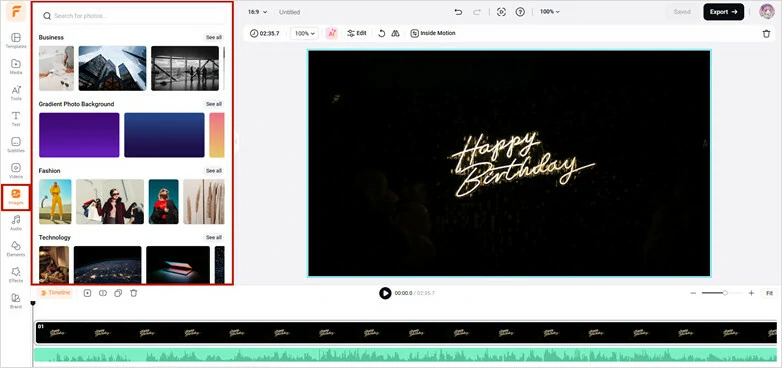
Upload or Add Image and Video to Visualize Your Track
To make your YouTube video truly unique, you can also take advantage of AI tools to create custom visuals without any editing experience needed. Simply describe your idea, and the AI will handle the rest. For example, you can generate a stylish album cover from text or create an animated video clip that matches your concept.
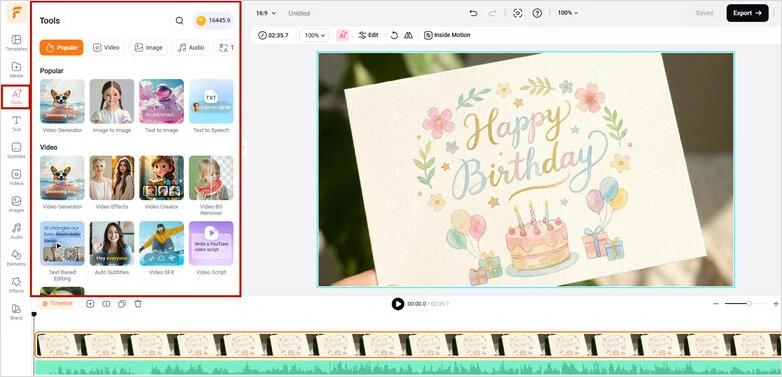
Use AI to Generate Images for MP3 Track
Whichever approach you choose, be sure to adjust the duration of your visuals—adjust duration of images, loop clips, or add additional footage, so they align perfectly with the length of your audio.
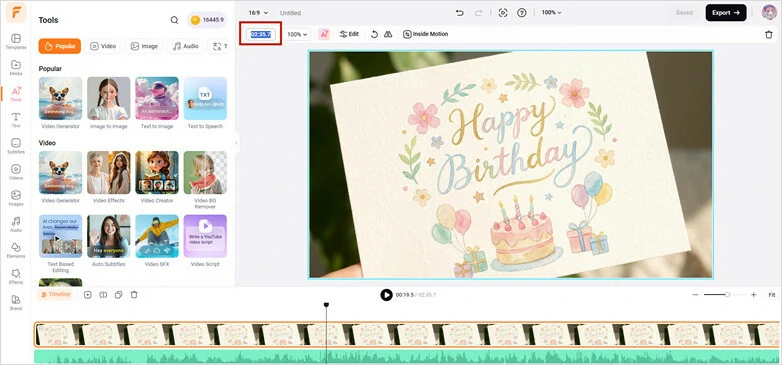
Adjust the Duration of Images to Match the Audio Length
Pro Tips: If you prefer a quick yet aesthetic solution to adding visuals to your MP3 file, just try FlexClip’s ready-made templates to go.

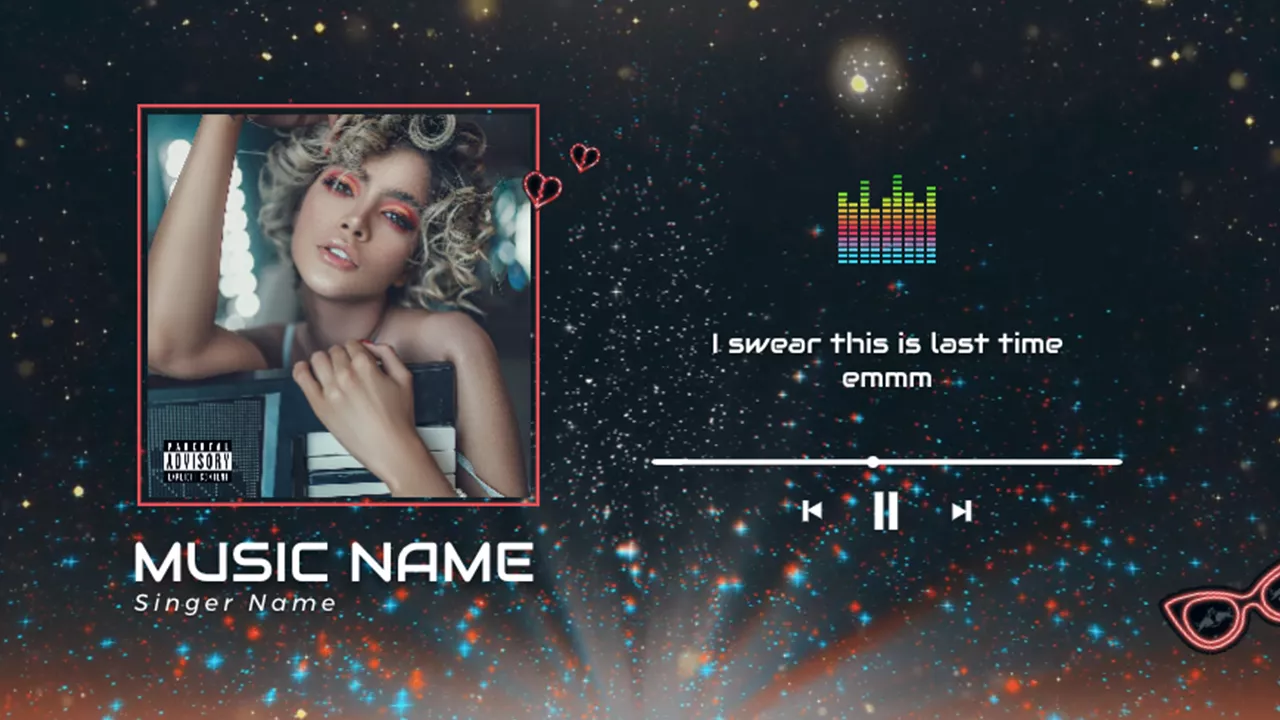
Step 3: Add Subtitles or Lyrics to Your MP3 Video
Make your MP3 video more engaging with eye-catching subtitles or lyrics! Simply enable FlexClip’s auto subtitle feature to instantly generate captions from your audio track in seconds.
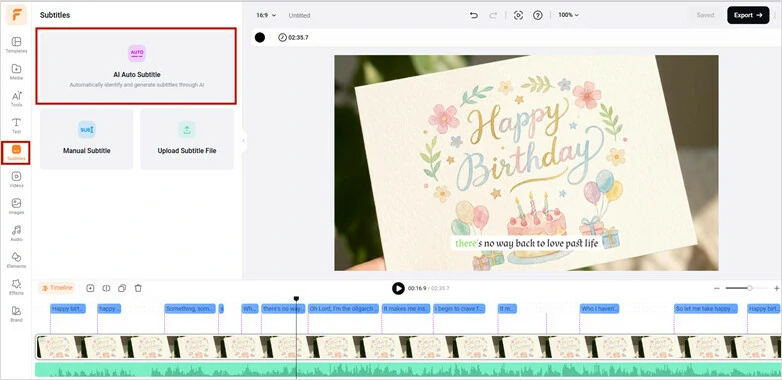
Generate Lyrics with FlexClip's Auto Subtitle Feature
You can also enhance your video by adding title cards or custom text to share extra information. With FlexClip’s flexible text editor, you’re free to design everything exactly the way you want—so go ahead and get creative!
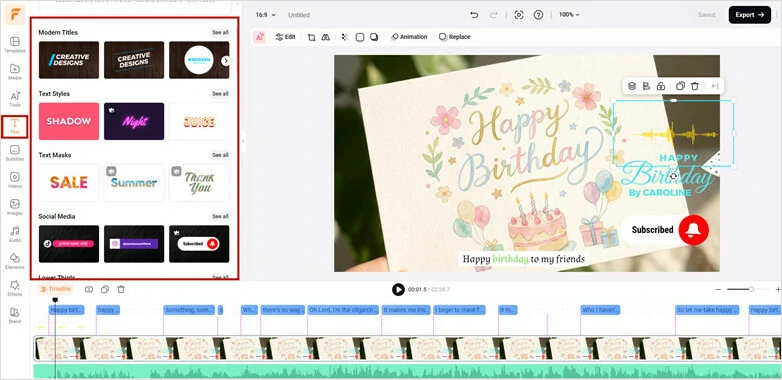
Add Title Cards to MP3 Video in FlexClip
Step 4: Export and Share Your MP3 Video to YouTube
Once you’ve finished editing with FlexClip’s powerful features, preview your video with the audio and visuals in place. Happy with the result? Click the Export button to save and share your video with ease. For even faster sharing, you can also use the built-in YouTube upload option to publish your video in just one click!
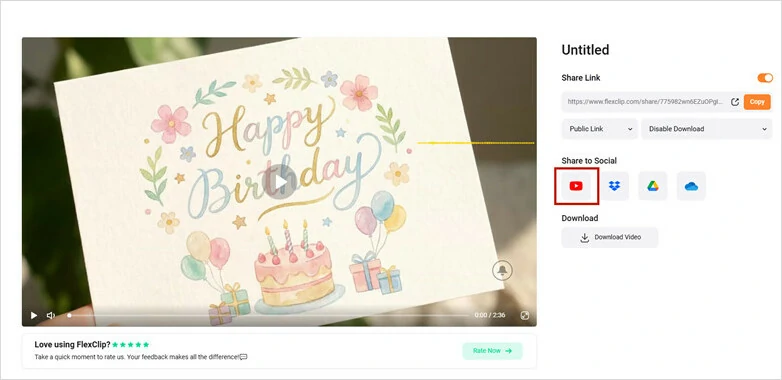
Export and Share Your MP3 Video to YouTube
Frequently Asked Questions About Converting MP3 to YouTube
1.Can I upload an MP3 directly to YouTube?
No. YouTube only supports video formats like MP4, MOV, AVI, etc. You need to convert your MP3 file into an MP4 format using tools like FlexClip before uploading it to YouTube.
2.Will converting MP3 to MP4 reduce my audio quality?
No. If you use the original MP3 track and export properly, the quality remains the same. However, YouTube may compress the file slightly after upload.
3.Can I add subtitles or lyrics to an MP3 video?
Yes. Some MP3 to MP4 converters like FlexClip offer auto subtitle generation and animated subtitle feature, allowing you to automatically add engaging lyrics to make your YouTube video truly shine!
4.Any free online tool to extract audio from video?
Of course! There are many free audio extractors available that let you easily pull audio from video files. For instance, FlexClip offers a simple video-to-audio tool that extracts audio in just one click while preserving the original quality. It also includes a range of audio editing features, allowing you to fine-tune, enhance, and customize your extracted audio to a professional standard.
The Bottom Line
That’s the end of 5 best MP3 to YouTube converters for you! Whether you’re looking to publish your music, share a sermon, or upload any MP3 audio, simply combine it with an image and turn it into a YouTube-ready video in minutes. Choose the tool that fits your needs and start converting today!




FlexClip AI Video Maker
Reach professional-quality videos faster with easy editing tools, templates, and smart AI.
Start Now for Free
Hot & Trending
-

Best Ways to Find Music in YouTube Videos
-

Instagram Story Video Quality Bad After Upload? Fix It!
-

How to Repost Video on TikTok & How to Remove TikTok Repost
-

Improve Video Quality Online: 3 AI Video Quality Enhancers You Can't Miss
-

4K Convert to HD 1080p without Watermark: Best 4k Video Converters
-

Best 8 Free Video Editors - No Download Required
-

Top 13 Birthday Video Makers with Music and Effects Free
-

How to Search Filters on TikTok & Use a Filter You See - TikTok Filter Guide